

Key Fob Programming: DIY Guide or Call a Pro?

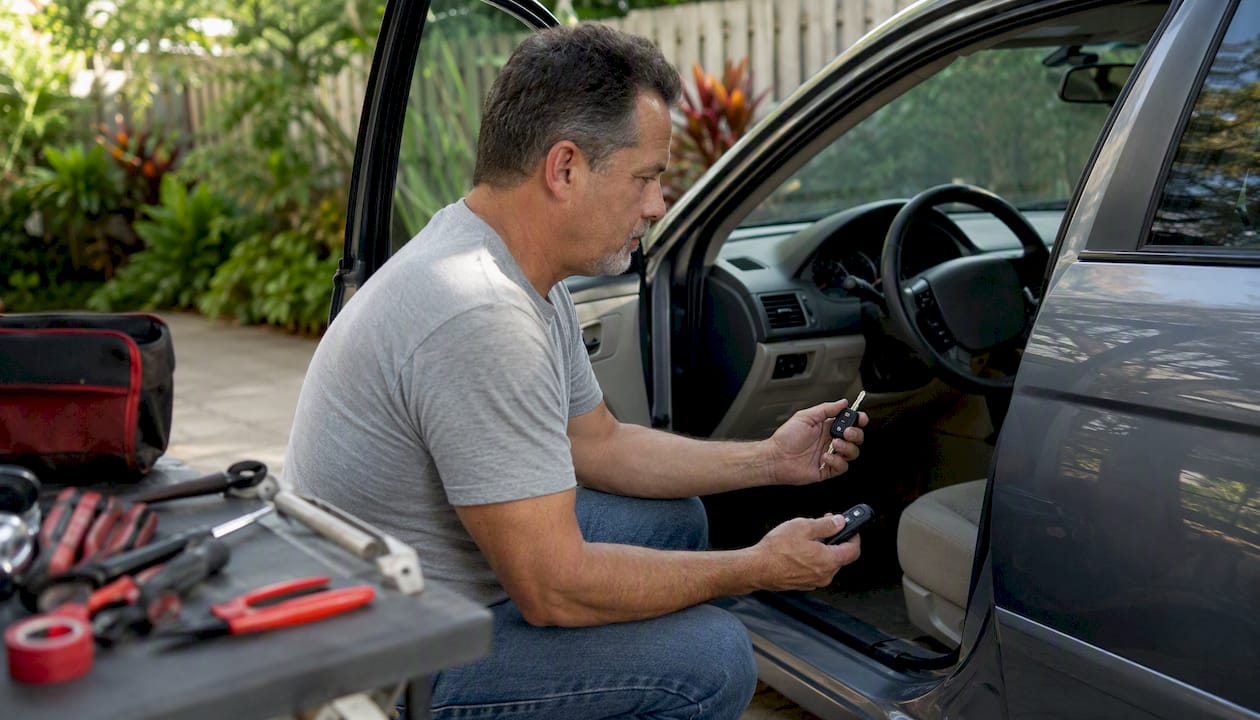
Most drivers can program a replacement key fob themselves — but only if their vehicle is roughly 1996–2015 and uses a standard remote keyless entry (RKE) system. If you drive a 2016 or newer vehicle with push-to-start or a smart/proximity key, you almost certainly need a professional with OBD2 diagnostic equipment. That single distinction determines whether this is a free, 10-minute driveway job or a trip to a locksmith.
The industry term for what most people call “key fob programming” splits into two very different tasks: remote pairing (syncing lock/unlock buttons) and immobilizer/transponder pairing (authorizing the engine to start). Many owners can handle the first one. Almost no one can handle the second without tools.
Start here:
Identify your fob type: RKE remote, transponder key, or smart/proximity key.
Find your vehicle’s year, make, and model, then check the owner’s manual for an onboard programming sequence.
If no sequence exists in the manual, or your vehicle is 2016+, plan to contact a locksmith or dealer.
Table of Contents
Is your key fob actually DIY-programmable?
Before you touch the ignition, spend five minutes on these checks. They will save you from buying the wrong fob or wasting an hour on a procedure that was never going to work.
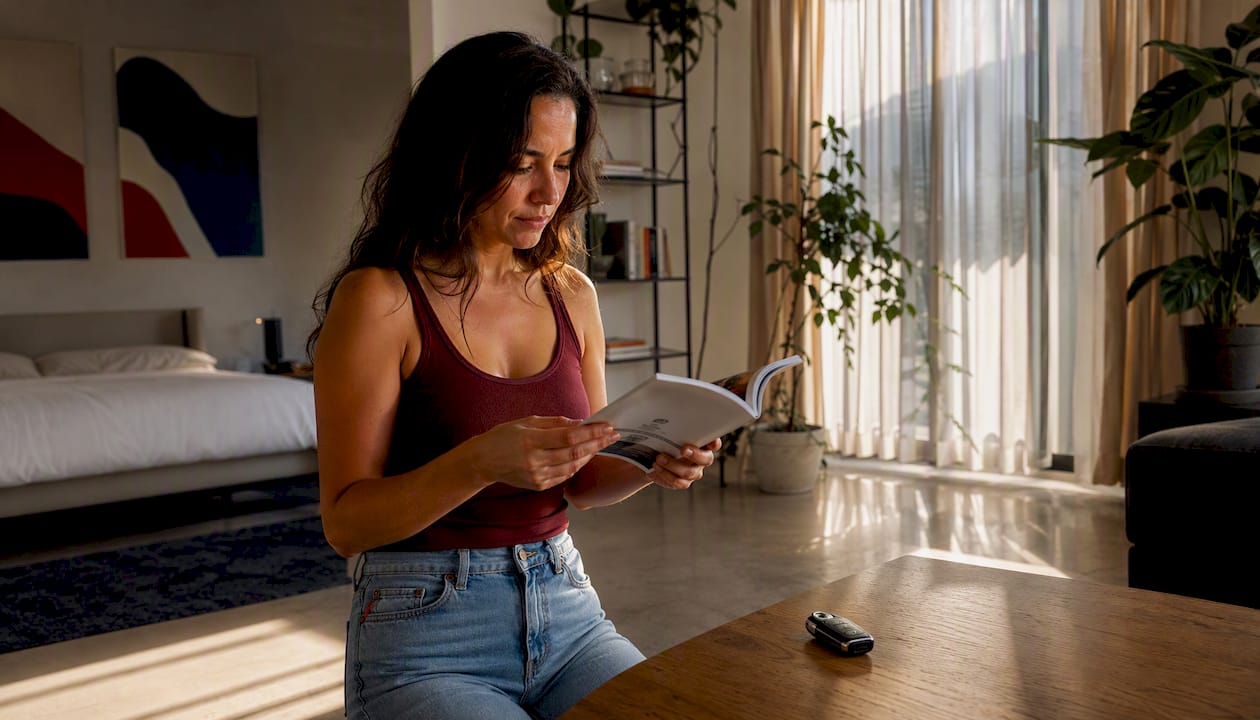
Find the FCC ID on your current fob. Flip it over or pop off the back cover. The FCC ID is a string of letters and numbers (example: GQ4-52T) printed on a label. This code identifies the exact radio frequency, chip type, and protocol your vehicle expects. A replacement fob must carry the same FCC ID. A visual match is not enough — two fobs can look identical and use completely different chips.
Confirm your fob type. There are three categories:
RKE remote (lock/unlock buttons only): Most commonly user-programmable via an ignition sequence. Common on vehicles from the mid-1990s through roughly 2015.
Transponder key: Has a chip embedded in the key blade that communicates with the immobilizer. Button pairing may be DIY; transponder pairing usually requires a programmer or dealer.
Smart/proximity key: Used in most push-to-start vehicles. Requires specialized OBD2 equipment to program. DIY is generally not possible.
Check your owner’s manual. Look in the index under “key fob,” “remote,” or “keyless entry.” If a programming sequence exists, it will be there. If the manual says “see your dealer,” that is a direct answer.
Run a quick web search. Type your exact year, make, and model followed by “key fob programming” to find model-specific sequences. Cross-reference any result against the owner’s manual before trusting it.
Confirm these conditions are met before you start:
You have at least one working key that starts the vehicle.
The vehicle battery is fully charged (low voltage disrupts the sync process).
You know how many fobs your vehicle supports (some models cap at four or eight).
You have all fobs you want programmed ready to go, because most vehicles wipe stored remotes the moment you enter programming mode.
Pro Tip: The FCC ID is also printed on the original packaging if you still have it. Cross-check it against the replacement fob’s label before you buy anything. A mismatch makes programming impossible, full stop.
What you need before you start programming
Gather everything below before you begin. Stopping mid-sequence to find a battery or locate a second fob is one of the most common reasons programming fails.
Basic items:
Replacement fob with matching FCC ID and correct frequency (typically 315 MHz or 433 MHz for US vehicles)
Fresh battery for the fob (commonly CR2032 — confirm in your owner’s manual)
Vehicle owner’s manual
At least one working key that starts the car
A stopwatch or phone timer (many sequences require 3–6 ignition cycles within roughly 10 seconds)
All other fobs you want to keep programmed
Understanding the three tool tiers
If the onboard sequence does not work for your vehicle, you move into tool territory. There are three distinct levels.
Tool tier | Vehicle compatibility | OBD2/immobilizer access required | DIY ease | Approximate price |
Consumer OBD2 reader (basic) | Limited; mainly older RKE vehicles | OBD2 port access; no immobilizer write | Moderate | $30 |
Locksmith-grade programmer (e.g., Xhorse/VVDI family, Keyecu) | Wide; many makes/models including 2016+ | Yes, full immobilizer read/write | Low for DIY; designed for trained techs | — |
Dealer/diagnostic system (e.g., Autel-level devices) | Broadest; covers encrypted smart keys and OEM protocols | Yes, full OEM-level access | Very low for DIY; requires training and subscriptions | — |
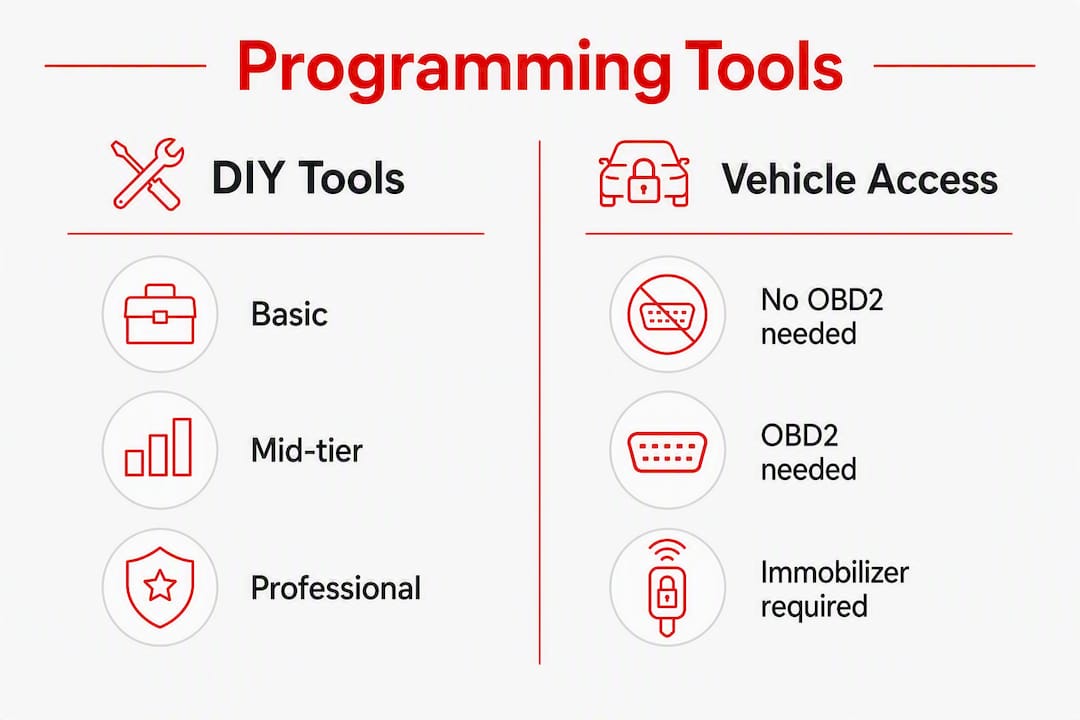
Xhorse/VVDI programmers and Keyecu devices are widely used by professional locksmiths for their broad vehicle coverage and ability to write to immobilizer systems. Autel-level diagnostic platforms go further, handling OEM-encrypted protocols on late-model vehicles that locksmith-grade tools sometimes cannot reach. For a typical DIYer, neither tier is practical — the cost, learning curve, and risk of locking yourself out of the immobilizer make professional service the better call once you are past the onboard sequence.
Pro Tip: When buying a replacement fob online, choose OEM or OEM-compatible parts from a seller who will confirm compatibility by VIN and FCC ID in writing. Cheap aftermarket clones frequently fail during programming because the internal chip or encryption protocol does not match the vehicle’s requirements, even when the fob looks identical. Always check the return policy before purchasing.
How to program a key fob using the onboard sequence
The generic onboard method works like this: you use the ignition switch and the fob’s buttons in a precise timed sequence to put the vehicle’s body control module into “learn” mode, then register each remote. Most makes that support this method follow a similar pattern, though the exact number of ignition cycles and timing windows vary.
Generic step-by-step template
Enter the vehicle and close all doors.
Insert the key into the ignition (do not start the engine).
Cycle the ignition from OFF to ON (not START) the required number of times for your vehicle — typically 4–8 cycles — within about 10 seconds. Use a stopwatch.
Leave the ignition in the ON position. The door locks will cycle (click) to confirm you have entered programming mode.
Within 30 seconds, press and hold the LOCK button on the first fob for 1–3 seconds until the locks cycle again.
Repeat Step 5 for every additional fob you want programmed.
Turn the ignition to OFF to exit programming mode.
Test all fobs immediately.
Program every fob in the same session. When the vehicle enters programming mode, it erases all previously stored remotes. If you program only the new fob and forget the old one, the old one stops working the moment you close the session.
Make-specific examples (verify for your exact model year)
These are starting-point examples only. Always confirm against your owner’s manual or an OEM source before proceeding.
Ford (many 2000–2019 models): Cycle ignition from OFF to ON multiple times within a short period, ending in ON. Locks cycle to confirm. Press any button on each fob within 8 seconds. Turn ignition OFF to exit.
GM/Chevrolet (many 2000–2016 models): Cycle ignition ON/OFF 4 times, ending in ON. Locks cycle. Press LOCK on each remote within 30 seconds. Turn ignition OFF.
Toyota (many 2003–2018 models): Close all doors. Cycle ignition ON/OFF twice, then open and close the driver’s door twice. Cycle ignition ON/OFF twice again, then open the driver’s door. Locks cycle. Press LOCK on each fob within 40 seconds.
Honda (many 2001–2017 models): Press LOCK on the working fob. Within 5 seconds, press LOCK again 3 times. Locks cycle. Repeat for additional fobs.
Nissan (many 2004–2016 models): Insert key, cycle ignition ON/OFF 6 times within 10 seconds, ending in ON. Locks cycle. Press UNLOCK on each fob within 10 seconds.
Pro Tip: *Use a stopwatch, not a mental count. Many sequences require multiple ignition cycles within roughly 10 seconds, and
. A quiet environment also matters — electromagnetic interference from nearby electronics can disrupt the radio sync.*
When programming requires OBD2 tools or a specialist
Most push-to-start vehicles and the majority of 2016+ models use encrypted rolling codes tied to the immobilizer. DIY onboard programming is not possible for these systems. The vehicle’s body control module will not enter “learn” mode through an ignition sequence alone — it requires a direct OBD2 connection and, in many cases, a PIN or security code pulled from the vehicle’s VIN.
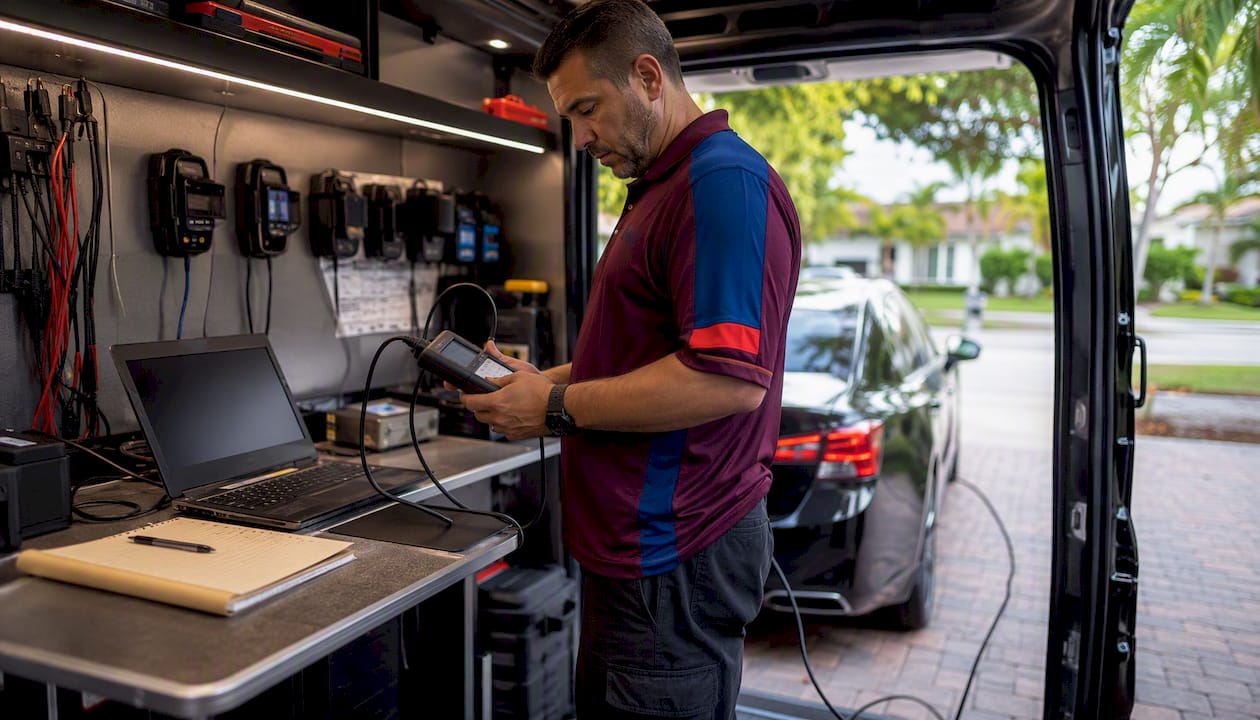
This is where locksmith-grade tools like the Xhorse/VVDI family and Keyecu programmers come in. These devices connect to the OBD2 port, communicate with the immobilizer, and write the new fob’s credentials directly to the module. Autel-level diagnostic platforms extend that capability to OEM-encrypted protocols on late-model vehicles, including many European and Asian makes that require dealer-level access codes.
What a professional locksmith or dealer actually does
A trained technician connects their programmer to the OBD2 port, retrieves the vehicle’s security data (sometimes requiring a PIN from the manufacturer’s database), and writes the new fob’s transponder data to the immobilizer. The process typically takes 30–90 minutes on-site, depending on the vehicle and whether a new key blade needs to be cut.
What to prepare before the appointment:
Vehicle identification number (VIN), found on the dashboard or door jamb
Government-issued ID and proof of vehicle ownership (title or registration)
All remotes you want programmed, including existing ones
Vehicle parked, accessible, and with a charged battery
Any PIN or security codes if you have them from the original purchase
Cost expectations
Service | Typical fee range | Notes |
Locksmith programming (RKE remote) | — | Often mobile; faster than dealer |
Locksmith programming (smart/transponder key) | — | Includes immobilizer write |
Dealer programming fee | — | Smart key fob itself can add $150–$400+ |
DIY onboard sequence | — | Only works on compatible vehicles |
Professional automotive locksmiths often provide faster service than dealerships for modern high-security key systems, and their mobile capability means they can come to you rather than requiring a tow.
Pro Tip: Ask any locksmith or dealer upfront whether they will need a PIN or security code for your specific vehicle. Some makes (certain Volkswagen, BMW, and Ford models) require a code that only the manufacturer’s database can provide, which affects both cost and turnaround time.
Where to buy a replacement fob and how to avoid wasted purchases
The replacement fob market ranges from genuine OEM parts to cheap clones that look right but fail immediately. Buying the wrong one costs you both money and time.
Before you buy, confirm all of these:
Exact FCC ID match: The replacement fob’s FCC ID must match the one on your current fob or in your owner’s manual. No exceptions.
Frequency match: US vehicles typically use 315 MHz or 433 MHz. Confirm which your vehicle requires.
Chip type: For transponder keys, the chip number (e.g., ID46, ID4D) must match. Ask the seller explicitly.
Clear return policy: Insist on a return window of at least 30 days in case programming fails.
Seller reputation: Look for verified compatibility notes by year/make/model, not just a generic “fits most vehicles” claim.
OEM vs. OEM-compatible vs. cheap aftermarket
OEM fobs come directly from the manufacturer and are guaranteed to carry the correct chip and encryption. They cost more but carry the lowest programming failure risk. OEM-compatible parts are made by reputable third-party manufacturers to OEM specifications — generally reliable when sourced from a known vendor. Cheap aftermarket clones are the problem category: they frequently lack the correct internal chip or encryption protocol, and they fail during programming even when the FCC ID printed on the label appears to match.
You can find verified replacement fobs and automotive key fob parts from reputable suppliers who list compatibility by FCC ID and VIN. That kind of specificity is the minimum standard worth paying for.
Pro Tip: Ask the seller for a photo of the FCC ID label on the actual unit before it ships. If they cannot provide it, or if the ID differs from what was listed, cancel the order. Keep all receipts and packaging until you have confirmed the fob programs and works correctly.
What to do when a newly programmed fob doesn’t work
Failed programming is frustrating, but most causes are fixable. Work through this list before assuming the fob is defective.
Problem → Quick fix:
No response from vehicle at all: Wrong FCC ID or wrong fob model. Verify the FCC ID on the fob matches the vehicle’s requirement exactly. A visual match is not sufficient.
Fob works intermittently or at short range: Weak fob battery. Replace with a fresh CR2032 (or the correct type for your model) and retest.
Vehicle never entered programming mode: Timing error or door/ignition condition not met. Reread the sequence carefully, use a stopwatch, and confirm all doors were closed before starting.
Fob programs but car won’t start: The remote’s lock/unlock functions were paired (RKE), but the transponder chip was not programmed. Engine start authorization requires a separate immobilizer programming step that needs professional tools.
Old fob stopped working after programming the new one: The vehicle wiped stored remotes when it entered programming mode. You must reprogram all fobs in the same session. This is the most common cause of “my old key stopped working” reports.
Programming mode entered but fob not recognized: Electromagnetic interference or low vehicle battery voltage. Move the vehicle away from other electronics, charge or jump the battery, and retry.
Check vehicle battery voltage first. A battery below roughly 12.4 volts can disrupt the sync process even when the ignition cycles appear to work normally. If the vehicle has been sitting or the battery is older, charge it fully before attempting programming again.
Pro Tip: Work in a quiet area away from other vehicles, garage door openers, and wireless devices. Environmental interference and weak batteries are two of the most common invisible causes of programming failure — and both are easy to eliminate before you assume the fob is bad.
When should you call a locksmith or dealer?
Call a professional when any of the following applies:
You have no working key at all. Without at least one functioning key, dealer or locksmith intervention is required to access the immobilizer.
Your vehicle has a push-to-start or smart/proximity key system.
Your vehicle is a 2016 or newer model with encrypted rolling codes.
You have attempted the onboard sequence three times without success.
The fob programs for lock/unlock but the car will not start (transponder issue).
A locksmith typically costs less than a dealer for the same programming job and can often come to your location. For most encrypted smart key systems, a mobile automotive locksmith with the right OBD2 programmer will complete the job in under an hour on-site.
What to have ready for the technician:
VIN (on the dashboard, driver’s door jamb, or registration paperwork)
Government-issued photo ID
Proof of ownership: title, registration, or insurance card showing your name and the VIN
All remotes you want programmed, including existing ones
Vehicle parked, accessible, and with a charged battery
Pro Tip: Book a locksmith rather than a dealer when speed matters. A mobile locksmith can come to your home, office, or roadside location. Dealers typically require an appointment and may not have your specific fob in stock, adding days to the process.
How to find vehicle-specific programming instructions
Generic templates are a starting point. For the exact sequence your vehicle requires, go to authoritative sources in this order.
Where to look:
Owner’s manual: The most reliable source. Check the index under “remote,” “keyless entry,” or “key fob.”
OEM dealer documentation: Your dealership’s service department can provide the official programming procedure for your exact VIN.
Programming instruction aggregators: Sites like KeylessEntryRemoteFob let you select your year, make, and model to view available sequences. They note when a vehicle requires professional programming.
FCC ID lookup: Search the FCC ID database (fcc.gov/oet/ea/fccid) to confirm the frequency and technical specs of any fob before buying.
Caution about forum instructions. Unverified forum posts are the most common source of incorrect sequences. A step that worked for one user’s 2014 Camry may not apply to yours if the trim level or production date differs. Always cross-reference against the owner’s manual or an OEM source.
Five-minute compatibility check workflow
Locate the FCC ID on your current fob (back label or inside cover).
Search the FCC ID in the FCC database to confirm frequency and technical specs.
Open your owner’s manual and check for a programming sequence.
If the manual has no sequence, search “[year] [make] [model] key fob programming PDF” and look for OEM service documents.
If no OEM sequence exists, contact a locksmith or dealer before purchasing any replacement fob.
Key Takeaways
Most key fob programming attempts succeed when you confirm the FCC ID match, use a stopwatch for the ignition sequence, and program every fob in the same session — and fail when any one of those three steps is skipped.
Point | Details |
Check FCC ID before buying | The replacement fob’s FCC ID must match your vehicle’s exactly; a visual match is not enough. |
Onboard sequences work for older vehicles | Vehicles from roughly 1996–2015 often support free DIY programming; 2016+ models typically require OBD2 tools. |
Program all fobs at once | Entering programming mode erases stored remotes, so bring every fob you want to keep working. |
Dealer fees add up fast | Dealer programming alone runs $50–$150, and a smart key fob can add $150–$400 or more on top of that. |
Locksmithfromiami handles encrypted systems | For smart keys, transponder issues, or failed DIY attempts in Miami-Dade, Locksmithfromiami offers mobile programming with 24/7 availability. |
The case for knowing your limits before you start
There is a version of this topic that makes key fob programming sound like a universal DIY win. It is not. The onboard ignition sequence genuinely works for a large share of older RKE remotes, and for those vehicles, doing it yourself is the right call. Free, fast, and low-risk.
The problem is that the same confident tone gets applied to smart keys, transponder systems, and encrypted 2020+ vehicles where DIY is not just difficult — it can lock you out of the immobilizer entirely if the wrong tool writes bad data to the module. That is not a recoverable situation without professional help.
The more useful frame is this: the onboard sequence is worth trying once on a compatible vehicle. If it does not work on the first or second attempt, stop. The cost of a locksmith visit is almost always lower than the cost of a bricked immobilizer or a wasted afternoon. For smart keys specifically, professional programming is not a fallback — it is the correct first step.
One thing that often gets overlooked: proof of ownership matters. Any reputable locksmith will ask for your ID and registration before programming a key. That requirement protects you as much as it protects them. If a service skips that step, treat it as a red flag.
Mobile key fob programming in Miami-Dade: Locksmithfromiami
When the onboard sequence does not work, or you already know your vehicle needs OBD2-level programming, the faster path is a mobile locksmith who comes to you. Locksmithfromiami provides automotive key fob programming for a wide range of vehicles across Miami and Homestead, FL, including smart keys, transponder systems, and encrypted remotes that require professional diagnostic equipment.
The service is available 24/7, which matters when you are dealing with a lockout or a key that stopped working at the wrong time. Technicians come to your location with the tools needed to handle both standard RKE remotes and advanced immobilizer-linked systems. Before booking, have your VIN, a government-issued ID, proof of ownership, and all remotes you want programmed ready to hand over.
To schedule service or get a same-day response, visit Locksmithfromiami’s auto locksmith page or call directly for emergency assistance.
Useful sources and further reading
These are the authoritative resources to consult for model-specific steps, FCC lookups, and professional guidance. Prefer OEM and official sources for any security-sensitive procedure.
ALOA (Associated Locksmiths of America): The national professional association for locksmiths; use to verify credentials when hiring a technician.
KeylessEntryRemoteFob programming instructions: Aggregated DIY sequences by year/make/model; notes when professional programming is required.
Lockpicks.com key fob programming guide: Beginner-friendly overview of the full programming process and tool requirements.
Locksmith Keyless free programming instructions: Vehicle-selector tool for finding model-specific sequences; covers both RKE and transponder notes.
CarParts.com key fob sync guide: Covers fob types, common problems, and programming method categories.
CarBuzz battery replacement and reprogramming guide: Explains how fob batteries and microchip frequencies interact and when reprogramming is needed after a battery swap.
FCC ID database (fcc.gov/oet/ea/fccid): Official lookup tool to verify frequency, chip type, and technical specifications for any FCC-registered fob.
Your vehicle’s owner’s manual: Always the first and most reliable source for model-specific programming sequences and fob compatibility notes.
Recommended
Comments