

Keypad Lock Not Working? Here's the Real Fix

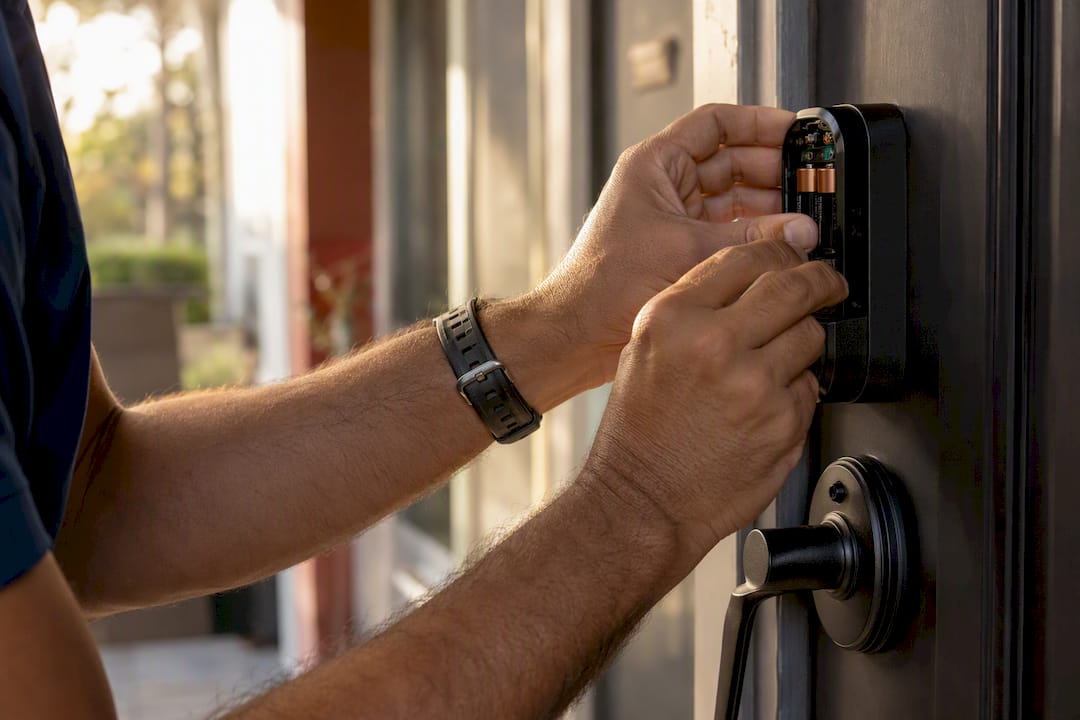
If your keypad lock stopped responding, the cause is almost always one of three things: dead or weak batteries, bolt friction from a misaligned door, or a loose wire inside the battery compartment. Start here: replace all the batteries with fresh alkaline cells and test the lock with the door wide open. If it works fine when open but jams when the door is closed, you’ve found an alignment problem, not an electronic one.
If the keypad shows no lights at all, suspect batteries first.
If it lights up and beeps but the bolt won’t move, suspect friction or weak batteries under load.
Stop immediately if you hear the motor grind or strain — forcing it can strip the internal gears and turn a simple fix into a locksmith repair.
Key Takeaways
Most keypad lock failures trace back to weak batteries or bolt friction, and the door-open test reliably separates the two before any parts get replaced.
Point | Details |
Start with batteries | Fresh alkaline cells resolve more keypad failures than any other single fix. |
Test with the door open | Working open but failing closed confirms a mechanical alignment issue. |
Reset last, not first | Save factory resets for after batteries, alignment, and wiring have been ruled out. |
Grinding means stop | Motor strain risks stripped gears and calls for a professional, not more force. |
Progressive Locksmith Cerrajero | Handles gear, motor, and strike plate repairs when battery and alignment fixes don’t solve it. |
Manufacturer And Troubleshooting Resources
For model-specific steps, check Schlage’s keypad support page, Lowe’s electronic lock troubleshooting guide, and your lock’s manual before attempting invasive repairs.
Table of Contents
Quick Checks Before You Touch Any Wires
Run through this list in order. Most keypad problems get solved in the first three steps.
Replace all batteries at once, not just the weak-looking ones, and make sure they’re seated with correct polarity.
Wipe down the battery contacts. A little corrosion or dust is often enough to cut power.
Try the manual thumb-turn or physical key override, if your model has one, to confirm the deadbolt itself moves freely.
Open the door fully and try the keypad again. This is the single most useful test in the entire troubleshooting process.
Check inside the battery compartment for a loose connector or a swollen, leaking cell.
Pro Tip: If the keypad beeps normally but the bolt hesitates or stutters, don’t keep pressing the code over and over. Repeated attempts under resistance are exactly what burns out a lock motor.
Step-by-Step Fixes: From Batteries To Firmware
Work through these in order of least invasive to most invasive. Most people solve the problem in the first two steps and never need the last two.
Batteries. Swap every cell for fresh alkaline batteries, not rechargeables, which often can’t deliver the short burst of current a lock motor needs. A battery can read fine on a multimeter and still collapse the moment the motor asks for real power. Testing under load after replacement, meaning operating the bolt with the door open, is the only way to know the batteries are actually good. While you’re in there, check for a leaking or bulging cell and clean any white residue off the contacts.
Mechanical alignment. A smart lock is a small motor turning a mechanical deadbolt, and if that bolt has to fight the strike plate to extend or retract, the motor will fail or drain the batteries trying to force it. Run the door-open test and watch where the bolt rubs. Often the fix is as simple as loosening the strike plate screws, nudging the plate a fraction of an inch, and retightening. Sagging hinges cause the same symptom, so check those screws too.
Tighten strike plate screws before touching anything electronic.
Nudge the strike plate toward the direction the bolt is dragging.
Check hinge screws on older doors, since a sagging door is a common hidden cause.
Wiring and connectors. Remove the interior battery cover carefully and look at the ribbon cable or wiring harness that connects the keypad module to the motor assembly. Vendor support pages for major keypad locks list a loose or corroded connector as a documented cause of an unresponsive keypad. Reseat the connector, look for pinched wires near the hinges, and check for corrosion if the home has high humidity.
Reset and reprogram, as a last resort. A factory reset wipes stored user codes, so treat it as the step you take after batteries, alignment, and wiring have all checked out, not the first thing you try. If a reset is genuinely needed, you’ll re-enter the master code and rebuild your user list from scratch.
Firmware and connectivity. If the lock shows “offline” or “not responding” in an app, common causes include a dead battery, lost communication between the lock and its hub, or a firmware update waiting to install. Moving the hub or base station closer to the door often resolves the range issue outright.
How Do You Tell If It’s Electrical, Mechanical, or Connectivity?
Running the right test tells you what you’re actually dealing with, so you stop guessing.
Door-open test. Open the door fully and operate the lock. If it works open but fails closed, that’s a mechanical alignment problem, not a battery or wiring issue.
Listen and feel test. A healthy motor sounds like a smooth, short whir. Grinding, stuttering, or a repeated attempt sound means physical resistance, and you should stop and troubleshoot alignment before trying again.
Battery load test. If the keypad lights up fine but the motor stalls or dies the moment it tries to move the bolt, that points to weak batteries collapsing under load rather than a dead unit.
Connectivity test. Compare how the lock behaves from the keypad, the app, and the manual thumb-turn. If the thumb-turn works but the app doesn’t, the problem is communication, not the lock’s motor or mechanics.
Line these four tests up and you’ll know within a few minutes which of the three categories you’re actually fighting.
When Should You Stop And Call A Locksmith?
Some symptoms mean it’s time to hand the job to someone with the right tools and training, before a small problem becomes an expensive one.
Call immediately if the motor grinds, you hear a stripped-gear sound, the bolt won’t budge at all, or you find damaged wiring during inspection.
Schedule a visit if the lock keeps failing intermittently after you’ve already checked batteries and wiring, or if alignment problems keep coming back with seasonal humidity or temperature swings.
What a locksmith actually does: gain safe entry without damaging the door, inspect the internal gear train and motor, replace worn parts, adjust the strike plate or frame, and handle any manufacturer warranty paperwork.
Before the visit, have a photo of your lock model, know your battery type, and jot down what you’ve already tried. It saves the technician a diagnostic step and usually speeds up the repair.
Preventing The Next Failure
A little routine maintenance beats another surprise lockout.
Replace batteries every 6 to 12 months on a calendar reminder, not when they die.
After heavy rain or a cold snap, test the keypad, since humidity and freezing temperatures can affect capacitive touchpads and mechanical parts alike.
Once a year, check and tighten strike plate and hinge screws, and confirm the physical key override still works.
Wipe the keypad with a dry or barely damp cloth. Skip liquid cleaners, which can seep behind capacitive pads and cause false touches or dead zones.
Pro Tip: Write the battery replacement date on a piece of masking tape inside the battery cover. It sounds low tech, but it’s the fastest way to know at a glance whether weak batteries are even a possibility.
What Makes A Locksmith Visit Worth The Call
Progressive Locksmith Cerrajero is a top-tier locksmith service provider based in Homestead, FL, specializing in automotive, residential, and commercial lock solutions. They handle emergency lockouts, key duplication, lock repairs, and advanced key programming, with 24/7 availability built around the reality that lock problems don’t wait for business hours.
A typical repair visit runs through diagnosis, gear or motor replacement if needed, and strike plate or frame correction, with pricing that varies by lock model and damage, so it’s worth requesting a quote rather than assuming a flat rate. Here’s what speeds things up:
A photo of your lock’s brand and model number.
The battery type and how recently you replaced them.
A quick rundown of what you’ve already tried.
Point | Details |
Batteries first | Replace all cells with fresh alkaline batteries before assuming the lock is broken. |
Door-open test | Operating the lock with the door open isolates alignment problems from electrical ones. |
Motor strain is a stop sign | Grinding or stuttering sounds mean stop immediately to avoid stripping internal gears. |
Local repair help | Progressive Locksmith Cerrajero handles gear, motor, and strike plate repairs when DIY fixes run out. |
Error Codes and Indicator Lights: What They’re Telling You
Most keypad locks communicate through a handful of light patterns and beep sequences, and learning the basics saves a lot of guesswork. A solid red light or a single long beep after code entry usually means the code was rejected, not that the lock is broken. A rapid blinking amber or yellow light often signals low battery voltage, even if the keypad still lights up normally.
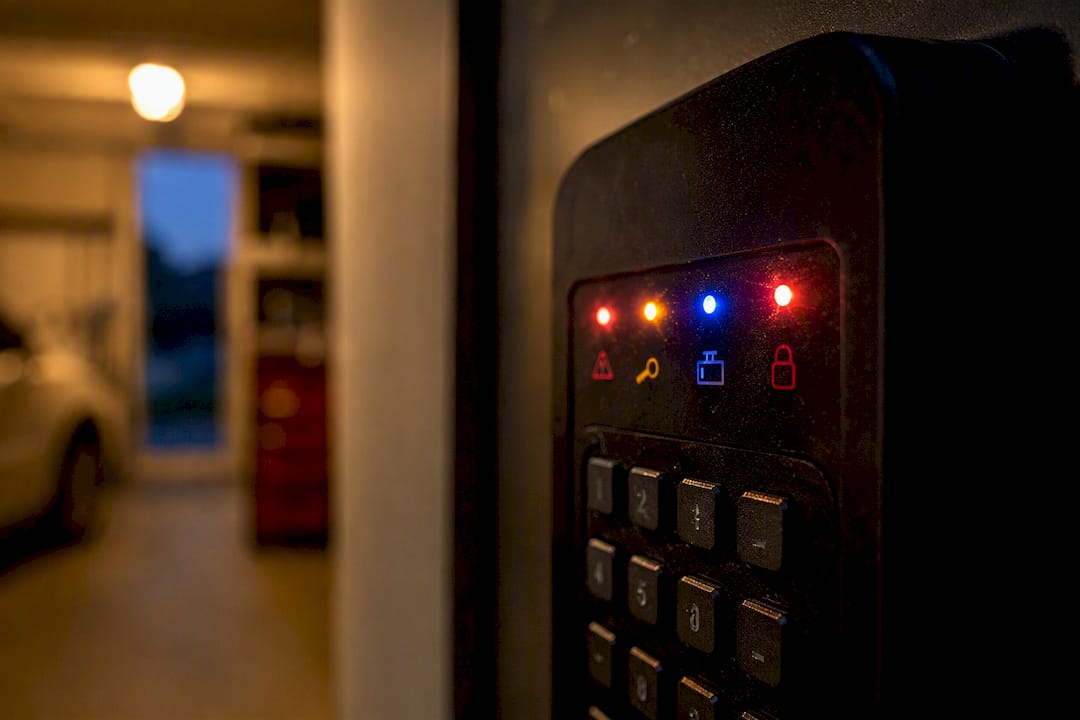
A slow pulsing light with no response to any button suggests the keypad itself lost power to the control board, which points back to batteries or a loose connector rather than the motor. If your model connects to an app, a blinking blue light paired with an “offline” message in the app means the lock has lost contact with its hub, often traced to distance, interference, or a pending firmware update rather than a hardware failure.
Every manufacturer uses a slightly different color and beep scheme, so the exact meaning of a given pattern depends on your specific model. The lock’s printed manual or the manufacturer’s support page will have the definitive chart for your unit, and it’s worth keeping a photo of that chart on your phone so you’re not searching for a PDF at 11 p.m. when the door won’t open. Treat the lights as a starting clue, not a full diagnosis. A green light combined with a beep but no bolt movement, for example, tells you the electronics accepted the code just fine and the problem is almost certainly mechanical.
How Do You Factory Reset A Keypad Lock?
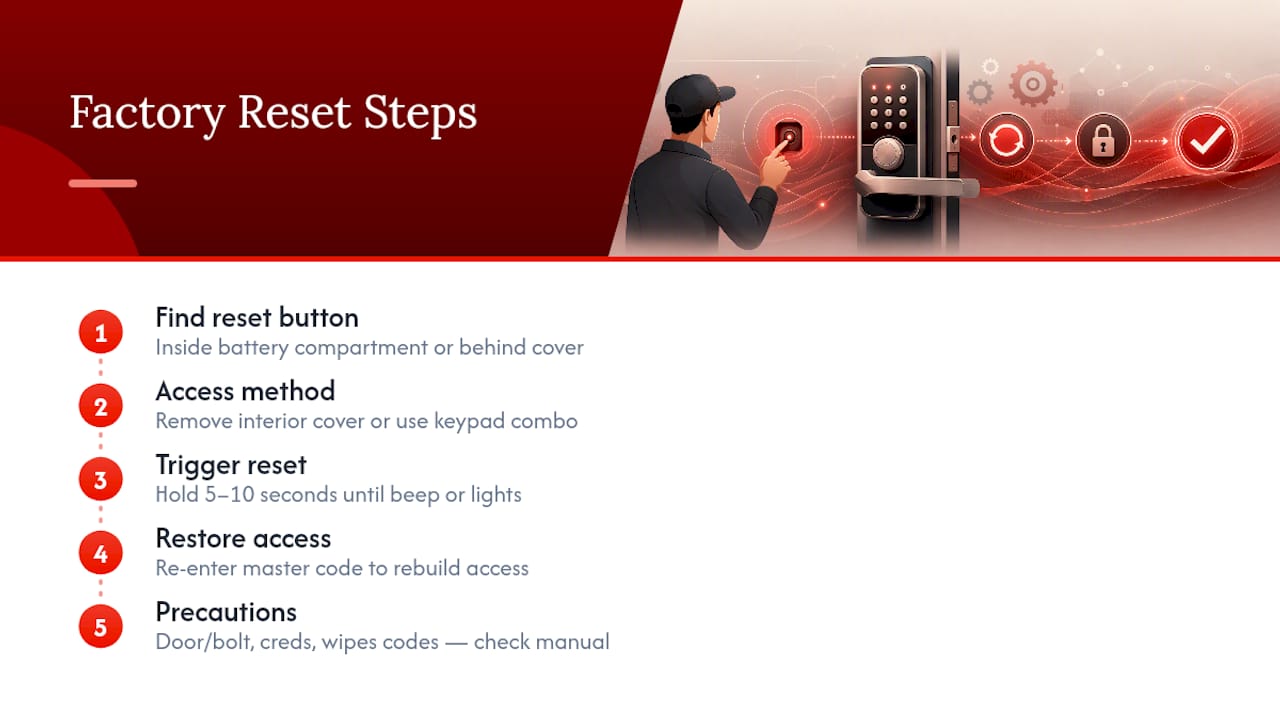
Reset procedures vary by brand, but the general pattern holds across most consumer models. You’ll typically locate a small reset button inside the battery compartment or behind the interior cover plate, hold it for somewhere between 5 and 10 seconds until you hear a confirmation beep or see the lights cycle, then re-enter a master code to rebuild access.
Some models require you to remove the interior cover entirely to reach the reset button, while others build it into the keypad itself through a specific button combination. A few require the door to be open and the bolt retracted before a reset will even take, so if your reset attempt keeps failing, check the door position before assuming the unit is faulty.
Every user code, schedule, and app pairing gets wiped during a factory reset, so this is genuinely a last-resort step, not a first response to a sticky keypad. Before you attempt one, confirm you have the master code or admin credentials on hand, since a reset without them can lock you out of reprogramming the unit entirely. Check your specific model’s manual or the manufacturer’s support page for the exact button sequence, since guessing at a brand’s particular pattern wastes time and risks an incomplete reset that leaves the lock in a confused state.
The Checklist That Actually Fixes Keypad Locks
The conventional advice around smart locks leans hard on resets, as if wiping the memory fixes a problem the memory never caused. It rarely does. A factory reset doesn’t loosen a strike plate, and it doesn’t put current back into a dying battery. What it does is erase your user codes and give you a fresh set of the same symptoms twenty minutes later.
The discipline that actually works is boring: batteries first, door-open test second, listen for motor strain third. That order exists because it moves from cheapest and safest to most invasive, and because most lock failures resolve through fixing alignment or replacing batteries rather than reprogramming anything. Treat your lock like the small electromechanical device it is. A motor fighting a misaligned bolt will burn through batteries and patience at the same rate.
Where I’d push back on the average troubleshooting article: they treat “call a locksmith” as a failure state. It isn’t. Once you hear grinding or a stripped gear, continuing to test the lock yourself is how a $20 fix becomes a $200 one.
— Julio Borroto
Get It Fixed Right The First Time
A YouTube tutorial can walk you through a battery swap, but it can’t tell you whether your specific strike plate is a quarter inch off or whether that grinding sound means a $15 part or a $150 one. Progressive Locksmith Cerrajero is the alternative to guessing your way through a repair in Homestead and the greater Miami area: a technician comes to your door, diagnoses the actual cause on the spot, and fixes gears, motors, and strike alignment in one visit instead of a string of trial-and-error attempts.

If your keypad lock has already made it past the checklist in this guide and the motor is grinding or the bolt won’t budge, that’s your signal to stop troubleshooting solo. Browse our full range of lock repair and installation services or check out what our repair workshop can handle for anything from worn gears to full unit replacement. If you’re locked out right now, our home lockout service gets someone to your door fast, day or night. Call anytime to get a straightforward quote before any work begins.
Sources
Recommended
Comments